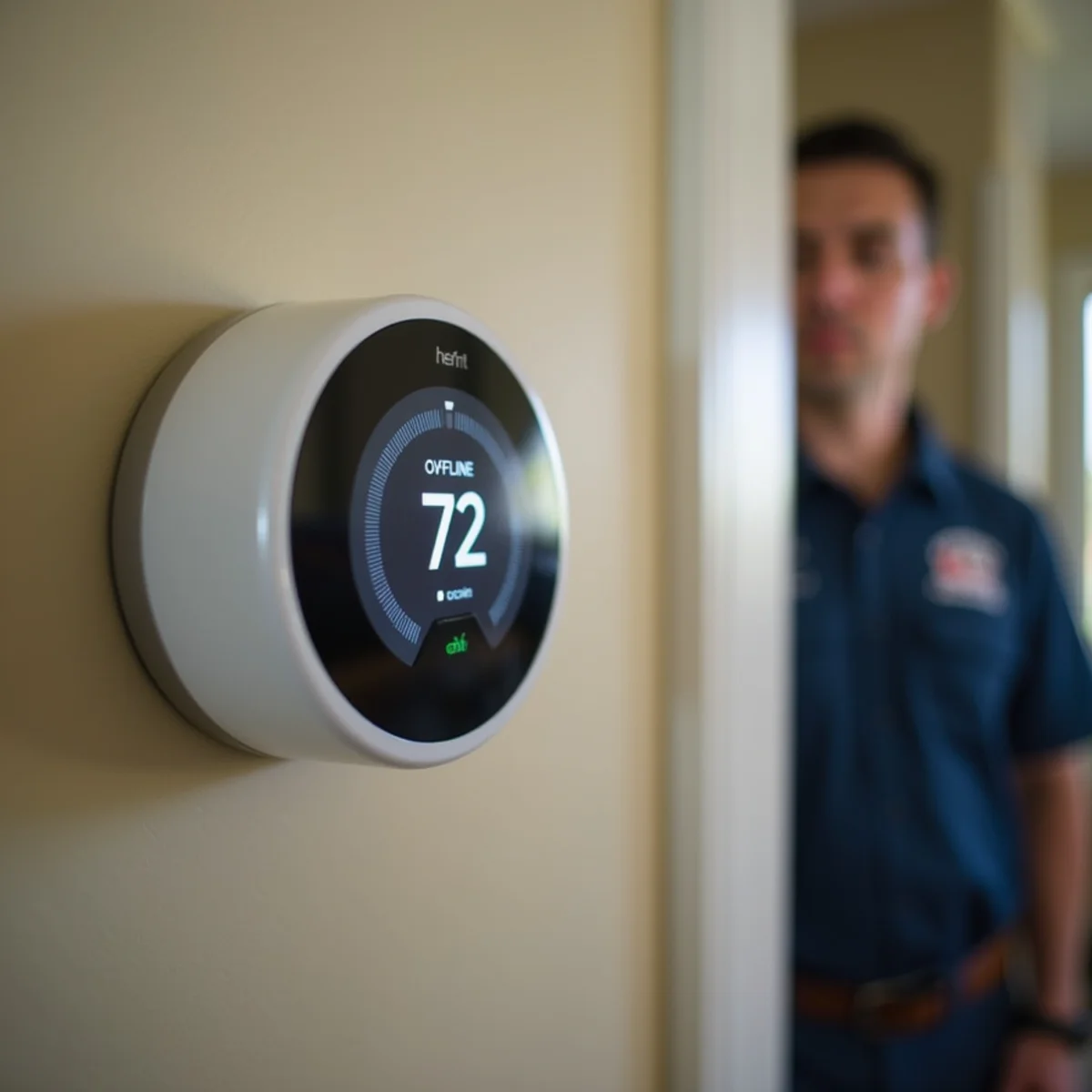
Your Nest or Ecobee keeps dropping off Wi-Fi, the app says the thermostat is offline, and every so often the heat or AC does something you never asked it to. It is a common headache in Auburn, and it usually traces back to one of two things: a missing C-wire behind the thermostat, or foothill Wi-Fi that drops out during PSPS events and winter storms.
A thermostat that loses its connection loses more than remote control. It drops schedules, stops reporting, and, when the cause is a power problem behind the wall, it can start behaving unpredictably with the actual heating and cooling.
Here are the real fixes, from the wire behind the faceplate to where your router sits, and a clear line on what you can do yourself versus when it is time to call a pro.
The Missing C-Wire: the Number-One Cause
Smart thermostats need constant power to keep their Wi-Fi radio and display alive, and they get it from a common, or C, wire. The trouble is that many older Auburn homes were wired for a simple battery or mercury thermostat that never needed one. Without a C-wire, a smart thermostat resorts to power-stealing, pulsing tiny amounts of current through the heating and cooling wires to charge its battery. It works marginally at best. The battery runs low, and when it sags the Wi-Fi is the first thing to drop, which shows up as random reboots, going offline at night, and a connection that will not hold. Adding a proper C-wire, an add-a-wire adapter, or a small transformer during a smart thermostat and zoning installation is the permanent fix.
How to check for a C-wire
Gently pull the thermostat off its base and look at the terminals. If there is a wire landed in the terminal marked C, you have a common wire connected. If the C terminal is empty, your thermostat is almost certainly power-stealing, which is the most likely reason it keeps dropping offline.
Wi-Fi Range and Foothill Dead Spots
Thermostats tend to live on an interior hallway wall, often the farthest point in the house from the router, and in older homes the signal has to punch through thick plaster-and-lath walls. On a spread-out hillside lot the router may simply be too far away. Weak signal means dropped connections. The fixes are practical: move the router more central, add a mesh node near the thermostat, and confirm you are connecting on the 2.4 GHz band, since most thermostats need 2.4 GHz and will not hold a 5 GHz-only network. It also helps to give the 2.4 GHz and 5 GHz bands separate network names on the router so the thermostat cannot latch onto the wrong one, and to reserve a fixed IP address for it so it stops fighting other devices for a slot on a busy home network.
PSPS and Storm Reconnection
Auburn's foothill location means PG&E Public Safety Power Shutoffs during fire weather and outages during winter storms are a regular fact of life. When the power comes back, the router can take several minutes to fully reconnect, and some thermostats do not re-handshake cleanly, so they sit showing offline until you reboot them. A thermostat already limping along on power-stealing with a low battery handles these outages worst of all. If you are planning around outages more broadly, our guide to PSPS backup power for your HVAC is worth a read.
Low Battery and Power Issues
For thermostats that take AA or AAA batteries, a weak set drops the Wi-Fi before anything else, because the radio is the biggest power draw on the device. For hardwired units running on power-stealing, a chronically low internal battery does the same thing. Fresh batteries are a two-minute test worth doing, but if a hardwired thermostat keeps draining, the durable answer is a C-wire that gives it steady power instead of scavenging it.
Staging and Heat-Pump Wiring Mistakes
Connection aside, some of what people blame on a flaky app is really a wiring mistake. A heat pump wired without the O/B reversing valve set correctly, or with the auxiliary and emergency heat misconfigured, will heat when it should cool or run expensive backup heat for no reason. It is a common outcome of a DIY swap, and we see it on heat-pump homes throughout Auburn and out toward Granite Bay. If your thermostat added a smart display but the comfort got worse, and especially if the upstairs still runs hot, read our post on why your second floor bakes, because that is a zoning problem no thermostat alone will solve.
DIY Fixes vs. When to Call
Work through the simple stuff first:
- 1Reboot the thermostat and the router, and after a PSPS outage give the router several minutes to reconnect.
- 2Confirm you are on the 2.4 GHz Wi-Fi band and that the network password has not changed.
- 3Replace the batteries if your thermostat uses them.
- 4Pull the faceplate and check whether the C terminal has a wire landed in it.
- 5Move the router more central or add a mesh node closer to the thermostat.
Call a pro when there is no C-wire and power-stealing keeps failing, when a heat pump or multi-stage system is wired wrong, or when the equipment misbehaves no matter what the app says. Those are wiring and control jobs, not settings you can tap your way out of.
Make it hold a connection
If your smart thermostat will not stay online, we can add a C-wire and set up the staging correctly so it works the way it should. Call +1 (327) 210-5999 for same-day thermostat service in Auburn and 24/7 emergency help.
Frequently Asked Questions
The most common cause is a missing C-wire, which forces the thermostat to power-steal and run its battery low until the Wi-Fi drops. Other causes are weak Wi-Fi range through thick walls or across a large lot, being on a 5 GHz-only network when the thermostat needs 2.4 GHz, and power outages from PSPS events or storms that the thermostat does not reconnect from cleanly.
It is strongly recommended. Some models can run on power-stealing without a dedicated C-wire, but that is exactly what causes low-battery and dropped-connection problems in many older Auburn homes. Adding a C-wire, an add-a-wire adapter, or a small transformer gives the thermostat steady power and reliable Wi-Fi. A technician can add one quickly.
Give the router several minutes to fully reconnect first, since it comes back slower than you expect after a PSPS shutoff or storm. Then reboot the thermostat. If it takes batteries, replace them, because a low battery makes reconnection worse. If it keeps happening after every outage, a missing C-wire is the likely underlying cause.